

-
×
 PageLoader: Loading Screen and Progress Bar for WordPress
90.000 ₫
PageLoader: Loading Screen and Progress Bar for WordPress
90.000 ₫ -
×
 WooCommerce Advanced Bulk Edit
90.000 ₫
WooCommerce Advanced Bulk Edit
90.000 ₫ -
×
YITH WooCommerce Deposits and Down Payments Premium
180.000 ₫
-
×
WooCommerce Quick View Pro By Barn2
90.000 ₫
-
×
Give - Square Gateway
90.000 ₫
-
×
WooCommerce Shipment Tracking
90.000 ₫
-
×
Enfold - Responsive Multi-Purpose Theme
90.000 ₫
-
×
MyThemeShop Bridge WordPress Theme
90.000 ₫
-
×
WooCommerce Square for WooCommerce
0 ₫
-
×
makit Mail - Responsive E-mail Template + Online Access + Mailster + MailChimp
50.000 ₫
-
×
Storefront Hamburger Menu
0 ₫
-
×
Borlabs Cache - WordPress Caching Plugin
90.000 ₫
-
×
Woocommerce Multilingual
90.000 ₫
-
×
Envira Gallery - Defaults Addon
90.000 ₫
-
×
YITH Product Size Charts for WooCommerce Premium
90.000 ₫
-
×
Elessi - WooCommerce AJAX WordPress Theme - RTL support
90.000 ₫
-
×
True Mag - WordPress Theme for Video and Magazine
90.000 ₫
-
×
AffiliateWP - Allow Own Referrals
0 ₫
-
×
ROSA - An Exquisite Restaurant WordPress Theme
90.000 ₫
-
×
WooCommerce Zapier
180.000 ₫
-
×
Cryptico - ICO Crypto Landing & Cryptocurrency WordPress Theme
90.000 ₫
-
×
Storefront Footer Bar
0 ₫
-
×
Restrict Content Pro
90.000 ₫
-
×
Envira Gallery - Proofing Addon
90.000 ₫
-
×
Easy Digital Downloads Wish Lists
90.000 ₫
-
×
YITH WooCommerce Product Bundles Premium
90.000 ₫
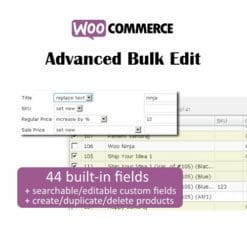 WooCommerce Advanced Bulk Edit
  YITH WooCommerce Deposits and Down Payments Premium
  Give - Square Gateway
 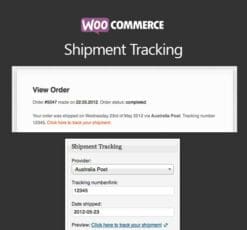 WooCommerce Shipment Tracking
  Enfold - Responsive Multi-Purpose Theme
  MyThemeShop Bridge WordPress Theme
  WooCommerce Square for WooCommerce
  makit Mail - Responsive E-mail Template + Online Access + Mailster + MailChimp
  Storefront Hamburger Menu
  Borlabs Cache - WordPress Caching Plugin
  Woocommerce Multilingual
  Envira Gallery - Defaults Addon
 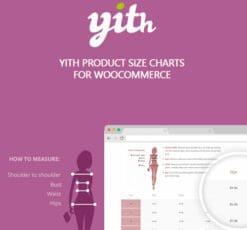 YITH Product Size Charts for WooCommerce Premium
  Elessi - WooCommerce AJAX WordPress Theme - RTL support
  True Mag - WordPress Theme for Video and Magazine
  AffiliateWP - Allow Own Referrals
  ROSA - An Exquisite Restaurant WordPress Theme
  WooCommerce Zapier
  Cryptico - ICO Crypto Landing & Cryptocurrency WordPress Theme
  Storefront Footer Bar
  Restrict Content Pro
  Envira Gallery - Proofing Addon
  Easy Digital Downloads Wish Lists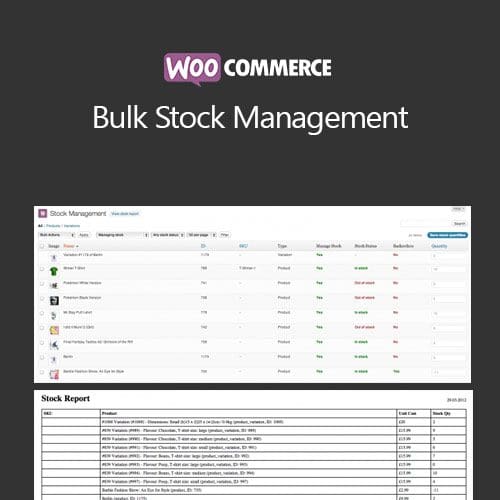
WooCommerce Bulk Stock Management
90.000 ₫
Mô tả
WooCommerce Bulk Stock Management
Bulk manage stock ranges or mark abroad inventory lists from admin
The volume inventory administration expansion offers ye a instant interface (found within Products > Stock management) as lists thy merchandise and editions along together with theirs stock properties.
Products do be filtered by production type, stock management status then stock status, or ordered with the aid of name, ID, SKU and inventory quantity.
Via the enter subject you do effortlessly embark the stock quantity for a couple of merchandise at once. There are bulk actions for setting the stock status too.
View or filter products, below quantity replace inventory quantities
Finally, there is a ‘View inventory report’ button as lets ye brand a report concerning all stock degrees in thy store:
Đánh giá (0)
Hãy là người đầu tiên nhận xét “WooCommerce Bulk Stock Management”
Bạn phải đăng nhập để gửi đánh giá.
Lưu ý khi mua
Những lưu ý dành cho bạn khi quyết định mua sản phẩm, chúng tôi có 5 loại sản phẩm sau đây:
1. Sản phẩm riêng lẽ
- Là sản phẩm cụ thể và duy nhất (1 theme hoặc 1 plugin bất kỳ).
- Tải và cập nhật sản phẩm trọn đời.
- Link tải trực tiếp không phải chờ đợi
- Phù hợp khách hàng có nhu cầu cụ thể với sản phẩm ưa thích
2. Sản phẩm gói
- Các sản phẩm trong mục bundles
- Mua một lần được nhiều sản phẩm cùng lúc
- Các sản phẩm với chủ đề giống nhau được chúng tôi gom nhóm
- Giá rẻ hơn khi mua từng sản phẩm riêng lẻ
- Tải và cập nhật trọn đời toàn bộ sản phẩm trong gói
- Link tải trực tiếp không phải chờ đợi
3. Thành viên hàng tháng ☛ Xem tại đây
- Tải tất cả các Themes và Plugins có trên hệ thống, bạn không cần phải mua từng sản phẩm riêng lẽ.
- Tải trong vòng 1 tháng, nếu bạn muốn tải tiếp sẽ cần gia hạn.
- Chúng tôi không tự động gia hạn, bạn thích gia hạn thời điểm nào là quyền của bạn.
- Tải 50 sản phẩm/ 1 ngày
- Link tải trực tiếp không phải chờ đợi
- Được cập nhật sản phẩm miễn phí trong thời điểm bạn còn là thành viên.
- Để cập nhật trọn đời sản phẩm, bạn có thể mua gói trọn đời, hoặc mua riêng 1 sản phẩm bạn muốn.
4. Thành viên hàng năm ☛ Xem tại đây
Với gói thành viên hàng năm, bạn sẽ được quyền tải xuống tất cả sản phẩm của chúng tôi trong vòng 1 năm. Ngoài ra bạn còn nhận được ưu đãi tải không giới hạn hàng ngày, điều mà không có website nào bán theme có ưu đãi đặc biệt này. Ngoài ra khi hết thời hạn 1 năm, bạn có thể gia hạn lại với mức phí chỉ bằng một nửa phí ban đầu bạn đăng ký.
Với gói thành viên này nếu bạn muốn cập nhật lên thành viên trọn đời. Bạn vẫn được bảo lưu số thời gian mình đang sử dụng dịch vụ, ví dụ:
- Nếu bạn mới mua gói 1 năm, và bạn muốn cập nhật lên gói trọn đời, bạn chỉ cần bỏ ra mức phí = phí thành viên trọn đời – phí thành viên hàng năm. Nghĩa là bạn chỉ cần mua gói trọn đời với số tiền là 1.500.000đ
- Nếu bạn đã sử dụng gói thành viên 1 năm trong vòng 6 tháng, bạn sẽ chỉ bỏ ra số tiền 2.000.000đ khi nâng cấp lên gói thành viên trọn đời.
Những ưu đãi khác:
- Tải tất cả các Themes và Plugins có trên hệ thống, bạn không cần phải mua từng sản phẩm riêng lẽ.
- Tải và cập nhật sản phẩm trong vòng 1 năm.
- Sử dụng không giới hạn website.
- Không giới hạn lượt tải hàng ngày.
- Link tải trực tiếp không phải chờ đợi
- Hỗ trợ kỹ thuật từ ThemeVN.
- Phí gia hạn bằng 1 nửa phí đăng ký
- Được bảo lưu thời gian sử dụng khi cập nhật lên thành viên trọn đời
5. Thành viên trọn đời ☛ Xem tại đây
Đây là gói cao cấp nhất trên hệ thống của chúng tôi. Với mức giá vô cùng rẻ, bạn sẽ làm chủ hơn 2600 sản phẩm có trên hệ thống của chúng tôi. Ngoài ra, khi chúng tôi đăng tải sản phẩm mới, bạn cũng sẽ được quyền tải xuống trọn đời sản phẩm đó. Cụ thể những ưu đãi đối với thành viên trọn đời như sau:
- Tải tất cả các Themes và Plugins có trên hệ thống, bạn không cần phải mua từng sản phẩm riêng lẽ.
- Tải và cập nhật sản phẩm trọn đời.
- Sử dụng không giới hạn website.
- Không giới hạn lượt tải hàng ngày.
- Link tải trực tiếp không phải chờ đợi
- Hỗ trợ kỹ thuật từ ThemeVN.
Dù bạn mua sản phẩm nào chúng tôi cũng sẽ hỗ trợ bạn hết mình. Nếu có khó khăn thắc mắc hãy Zalo, Fb cho nhanh nha bạn
Sản phẩm tương tự

WooCommerce Plugins
90.000 ₫

CodeCanyon
90.000 ₫

WooCommerce Plugins
90.000 ₫

CodeCanyon
90.000 ₫

Storefront
0 ₫
WooCommerce Plugins
90.000 ₫

90.000 ₫

90.000 ₫

Đánh giá
Chưa có đánh giá nào.