

-
×
 Ultimate Tweaker for WordPress
90.000 ₫
Ultimate Tweaker for WordPress
90.000 ₫ -
×
 WP User Frontend Pro - Personal
90.000 ₫
WP User Frontend Pro - Personal
90.000 ₫ -
×
WP Staging Pro
90.000 ₫
-
×
Admin Menu Editor Pro
90.000 ₫
-
×
WordPress Real Media Library - Media Categories / Folders File Manager
90.000 ₫
-
×
OceanWP Hooks
90.000 ₫
-
×
White Label Branding for WordPress
90.000 ₫
-
×
Hide My WP
90.000 ₫
-
×
WP User Frontend Pro - Business
90.000 ₫
-
×
Elessi - WooCommerce AJAX WordPress Theme - RTL support
90.000 ₫
-
×
WordPress Keyword Tool Plugin
90.000 ₫
-
×
Admin Columns Pro WordPress Plugin
90.000 ₫
-
×
Perfmatters WordPress Plugin
90.000 ₫
-
×
WordPress Local SEO Premium
90.000 ₫
-
×
Blog Manager for WordPress
90.000 ₫
-
×
Permalink Manager Pro
90.000 ₫
-
×
WooCommerce Page Builder
90.000 ₫
-
×
dFlip PDF FlipBook WordPress Plugin
90.000 ₫
-
×
Media Grid - Overlay Manager Add-on
90.000 ₫
-
×
Final Tiles Grid Gallery
90.000 ₫
-
×
Visual Composer by WPBakery
90.000 ₫
-
×
Essential Grid WordPress Plugin
90.000 ₫
-
×
WooLentor Pro - WooCommerce Page Builder Elementor Addon
90.000 ₫
-
×
Premium SEO Pack - WordPress Plugin
90.000 ₫
-
×
Rank Math Pro (Business) - Top #1 Plugin SEO hiện nay
120.000 ₫
-
×
Car Dealer Automotive WordPress Theme - Responsive
90.000 ₫
-
×
WP Schema Pro Plugin
90.000 ₫
 WP User Frontend Pro - Personal
  WP Staging Pro
  Admin Menu Editor Pro
 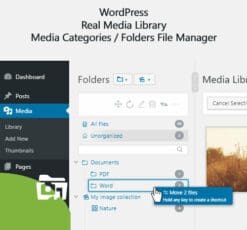 WordPress Real Media Library - Media Categories / Folders File Manager
  OceanWP Hooks
  White Label Branding for WordPress
  Hide My WP
  WP User Frontend Pro - Business
  Elessi - WooCommerce AJAX WordPress Theme - RTL support
  WordPress Keyword Tool Plugin
  Admin Columns Pro WordPress Plugin
  Perfmatters WordPress Plugin
  WordPress Local SEO Premium
  Blog Manager for WordPress
  WooCommerce Page Builder
  dFlip PDF FlipBook WordPress Plugin
  Media Grid - Overlay Manager Add-on
  Final Tiles Grid Gallery
  Visual Composer by WPBakery
  Essential Grid WordPress Plugin
  WooLentor Pro - WooCommerce Page Builder Elementor Addon
  Premium SEO Pack - WordPress Plugin
  Car Dealer Automotive WordPress Theme - Responsive
  WP Schema Pro Plugin
Mô tả
Snip – The Rich Snippets
What are Rich Snippets?
A Rich Snippet displays additional data such as images, star-ratings, etc. in search results. In order to get this to work, you must incorporate schema.org (in any of the following open standards: microdata, microformats or RDFa, and JSON-LD ) in your web pages. Sounds complicated? Yes, it is. At least for most people who don’t know how to code.
That’s why this the Rich Snippets WordPress Plugin is made for! In Version 2. no coding is needed. No single line. What you need is the basic knowledge of how schema.org works.
What is Structured Data and schema.org?
“Schema.org is a collaborative, community activity with a mission to create, maintain, and promote schemas for structured data on the Internet”. This is what the official website at schema.org says on its home page. The project was founded by Google, Microsoft, Yahoo and Yandex as a shared vocabulary to provide search engines and other applications with structured data. If you add some of the so called schemas to your website, search engines will have a better understanding of the things on your sites. For example, you can tell them:
- where the header is;
- what the main item (like the blogpost content) is;
- who the author of a blogpost is;
- what topic you’re writing about (like product review);
- what rating you give to products and other things;
- and many more.
Is it important for SEO?
Of course it is. schema.org is out for years now and has been tested very well. So it’s not a “hype” anymore. Search engines using it frequently as mentioned above:
- Search Engines are showing Rich Snippets and Rich Search Results that provide more information to the end user (like images, ratings, etc.).
- Google Webmaster Tools shows up structured data in its Search Console website.
How can I add structured data?
A few years ago you would have needed at least a deep understanding of schema.org and how to add microdata to your HTML markup. Problems are:
- People don’t know how to add markup.
- People don’t know how to code.
- Some markup can only be included by modifying the theme directly (that means that your theme is no longer updatable out of the box).
- Theme and plugin authors rarely care about schema.org in their own products.
Sounds nearly impossible, right? But I have a solution to that:
Use the Rich Snippets WordPress Plugin today and you don’t need a single line of code! Just a good understanding of how structured data works.
Đánh giá (0)
Hãy là người đầu tiên nhận xét “Snip – The Rich Snippets”
Bạn phải đăng nhập để gửi đánh giá.
Lưu ý khi mua
Những lưu ý dành cho bạn khi quyết định mua sản phẩm, chúng tôi có 5 loại sản phẩm sau đây:
1. Sản phẩm riêng lẽ
- Là sản phẩm cụ thể và duy nhất (1 theme hoặc 1 plugin bất kỳ).
- Tải và cập nhật sản phẩm trọn đời.
- Link tải trực tiếp không phải chờ đợi
- Phù hợp khách hàng có nhu cầu cụ thể với sản phẩm ưa thích
2. Sản phẩm gói
- Các sản phẩm trong mục bundles
- Mua một lần được nhiều sản phẩm cùng lúc
- Các sản phẩm với chủ đề giống nhau được chúng tôi gom nhóm
- Giá rẻ hơn khi mua từng sản phẩm riêng lẻ
- Tải và cập nhật trọn đời toàn bộ sản phẩm trong gói
- Link tải trực tiếp không phải chờ đợi
3. Thành viên hàng tháng ☛ Xem tại đây
- Tải tất cả các Themes và Plugins có trên hệ thống, bạn không cần phải mua từng sản phẩm riêng lẽ.
- Tải trong vòng 1 tháng, nếu bạn muốn tải tiếp sẽ cần gia hạn.
- Chúng tôi không tự động gia hạn, bạn thích gia hạn thời điểm nào là quyền của bạn.
- Tải 50 sản phẩm/ 1 ngày
- Link tải trực tiếp không phải chờ đợi
- Được cập nhật sản phẩm miễn phí trong thời điểm bạn còn là thành viên.
- Để cập nhật trọn đời sản phẩm, bạn có thể mua gói trọn đời, hoặc mua riêng 1 sản phẩm bạn muốn.
4. Thành viên hàng năm ☛ Xem tại đây
Với gói thành viên hàng năm, bạn sẽ được quyền tải xuống tất cả sản phẩm của chúng tôi trong vòng 1 năm. Ngoài ra bạn còn nhận được ưu đãi tải không giới hạn hàng ngày, điều mà không có website nào bán theme có ưu đãi đặc biệt này. Ngoài ra khi hết thời hạn 1 năm, bạn có thể gia hạn lại với mức phí chỉ bằng một nửa phí ban đầu bạn đăng ký.
Với gói thành viên này nếu bạn muốn cập nhật lên thành viên trọn đời. Bạn vẫn được bảo lưu số thời gian mình đang sử dụng dịch vụ, ví dụ:
- Nếu bạn mới mua gói 1 năm, và bạn muốn cập nhật lên gói trọn đời, bạn chỉ cần bỏ ra mức phí = phí thành viên trọn đời – phí thành viên hàng năm. Nghĩa là bạn chỉ cần mua gói trọn đời với số tiền là 1.500.000đ
- Nếu bạn đã sử dụng gói thành viên 1 năm trong vòng 6 tháng, bạn sẽ chỉ bỏ ra số tiền 2.000.000đ khi nâng cấp lên gói thành viên trọn đời.
Những ưu đãi khác:
- Tải tất cả các Themes và Plugins có trên hệ thống, bạn không cần phải mua từng sản phẩm riêng lẽ.
- Tải và cập nhật sản phẩm trong vòng 1 năm.
- Sử dụng không giới hạn website.
- Không giới hạn lượt tải hàng ngày.
- Link tải trực tiếp không phải chờ đợi
- Hỗ trợ kỹ thuật từ ThemeVN.
- Phí gia hạn bằng 1 nửa phí đăng ký
- Được bảo lưu thời gian sử dụng khi cập nhật lên thành viên trọn đời
5. Thành viên trọn đời ☛ Xem tại đây
Đây là gói cao cấp nhất trên hệ thống của chúng tôi. Với mức giá vô cùng rẻ, bạn sẽ làm chủ hơn 2600 sản phẩm có trên hệ thống của chúng tôi. Ngoài ra, khi chúng tôi đăng tải sản phẩm mới, bạn cũng sẽ được quyền tải xuống trọn đời sản phẩm đó. Cụ thể những ưu đãi đối với thành viên trọn đời như sau:
- Tải tất cả các Themes và Plugins có trên hệ thống, bạn không cần phải mua từng sản phẩm riêng lẽ.
- Tải và cập nhật sản phẩm trọn đời.
- Sử dụng không giới hạn website.
- Không giới hạn lượt tải hàng ngày.
- Link tải trực tiếp không phải chờ đợi
- Hỗ trợ kỹ thuật từ ThemeVN.
Dù bạn mua sản phẩm nào chúng tôi cũng sẽ hỗ trợ bạn hết mình. Nếu có khó khăn thắc mắc hãy Zalo, Fb cho nhanh nha bạn
Sản phẩm tương tự

SEO
90.000 ₫
CodeCanyon
90.000 ₫

90.000 ₫

90.000 ₫
90.000 ₫
90.000 ₫

120.000 ₫

90.000 ₫

Đánh giá
Chưa có đánh giá nào.