

-
×
 SearchWP Shortcodes
90.000 ₫
SearchWP Shortcodes
90.000 ₫ -
×
 Give - PayPal Pro Gateway
90.000 ₫
Give - PayPal Pro Gateway
90.000 ₫ -
×
KALLYAS - Creative eCommerce Multi-Purpose WordPress Theme
90.000 ₫
-
×
Ultimate Member Notices
90.000 ₫
-
×
Phlox Pro - Elementor MultiPurpose WordPress Theme
90.000 ₫
-
×
Car Dealer Automotive WordPress Theme - Responsive
90.000 ₫
-
×
WooCommerce Delivery Time Picker for Shipping
90.000 ₫
-
×
Leadinjection - Landing Page Theme
90.000 ₫
-
×
Real Places - Responsive WordPress Real Estate Theme
180.000 ₫
-
×
Product Gallery Slider for Woocommerce - Twist
90.000 ₫
-
×
True Mag - WordPress Theme for Video and Magazine
90.000 ₫
-
×
Newspaper WordPress Theme
90.000 ₫
-
×
Grand Restaurant Cafe WordPress Theme
90.000 ₫
-
×
WordPress Video SEO Premium
90.000 ₫
-
×
AIT PayPal Subscriptions
90.000 ₫
-
×
WooCommerce Geniki Courier Voucher & Label
90.000 ₫
-
×
Service Finder - Provider and Business Listing WordPress Theme
90.000 ₫
-
×
MetaMax - SEO and Marketing WordPress Theme
90.000 ₫
-
×
WordPress WooCommerce SEO Premium
90.000 ₫
-
×
Electro Electronics Store WooCommerce Theme
90.000 ₫
-
×
Themify Music WordPress Theme
90.000 ₫
-
×
Enfold - Responsive Multi-Purpose Theme
90.000 ₫
-
×
Give - Razorpay Gateway
90.000 ₫
-
×
Happy Kids - Children WordPress Theme
90.000 ₫
-
×
Slider Revolution Responsive WordPress Plugin + Addons + Templates
90.000 ₫
 Give - PayPal Pro Gateway
  KALLYAS - Creative eCommerce Multi-Purpose WordPress Theme
  Ultimate Member Notices
  Phlox Pro - Elementor MultiPurpose WordPress Theme
  Car Dealer Automotive WordPress Theme - Responsive
 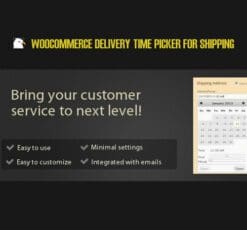 WooCommerce Delivery Time Picker for Shipping
  Leadinjection - Landing Page Theme
  Real Places - Responsive WordPress Real Estate Theme
 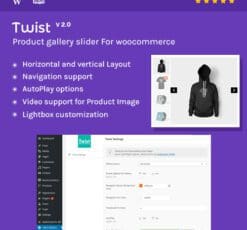 Product Gallery Slider for Woocommerce - Twist
  True Mag - WordPress Theme for Video and Magazine
  Newspaper WordPress Theme
  Grand Restaurant Cafe WordPress Theme
  WordPress Video SEO Premium
  AIT PayPal Subscriptions
 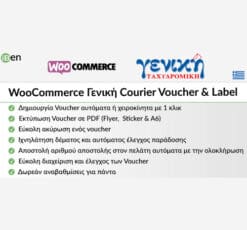 WooCommerce Geniki Courier Voucher & Label
  Service Finder - Provider and Business Listing WordPress Theme
  MetaMax - SEO and Marketing WordPress Theme
  WordPress WooCommerce SEO Premium
 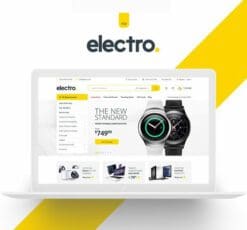 Electro Electronics Store WooCommerce Theme
  Themify Music WordPress Theme
  Enfold - Responsive Multi-Purpose Theme
  Give - Razorpay Gateway
  Happy Kids - Children WordPress Theme
  Slider Revolution Responsive WordPress Plugin + Addons + Templates
ForGravity – Entry Automation Amazon S3 Extension
90.000 ₫
- Phiên bản: 1.0
- Ngày cập nhật: 02/04/2018
Mô tả
ForGravity – Entry Automation Amazon S3 Extension
Uploading Export Files to Amazon S3
Using the Amazon S3 Extension because of Entry Automation, your entries be able stay sent in conformity with thy Amazon S3 buckets since the export bring has been generated.
Installing Amazon S3 Extension
Amazon S3 Extension may keep installed out of the Entry Automation plugin settings page, discovered among the Gravity Forms Settings section. After you’ve entered within you license key, a list about available extensions wish be listed. If your authorize does no longer hold get right of entry to in accordance with the Amazon S3 Extension, an “Upgrade License” button will lie accessible in conformity with reach access according to the extension.
Click the “Install Extension” button next in conformity with the Amazon S3 Extension after down load it in conformity with you WordPress site. Then, click on the “Activate Extension” button in accordance with spark off the extension.
Setting Up Amazon S3 Exports
When Amazon S3 Extension is activated yet ye bear authenticated along Amazon S3, a modern Amazon S3 Settings tab is added after the Entry Automation assignment settings chastity then placing upon an Export Entries task.
The Amazon S3 Settings score includes fields in accordance with choose the valley in conformity with add the export bring according to and the vacation spot course concerning the export file. No validation is supplied because the vacation spot direction namely folders are virtual of Amazon S3.
Authenticating together with Amazon S3
After activating Amazon S3 Extension, refresh the Entry Automation plugin settings page. There desire be a current “Amazon S3 Settings” piece together with AWS Access Key ID or Secret Access Key fields. Enter among your AWS credentials and click on the “Update Settings” button.
Đánh giá (0)
Hãy là người đầu tiên nhận xét “ForGravity – Entry Automation Amazon S3 Extension”
Bạn phải đăng nhập để gửi đánh giá.
Lưu ý khi mua
Những lưu ý dành cho bạn khi quyết định mua sản phẩm, chúng tôi có 5 loại sản phẩm sau đây:
1. Sản phẩm riêng lẽ
- Là sản phẩm cụ thể và duy nhất (1 theme hoặc 1 plugin bất kỳ).
- Tải và cập nhật sản phẩm trọn đời.
- Link tải trực tiếp không phải chờ đợi
- Phù hợp khách hàng có nhu cầu cụ thể với sản phẩm ưa thích
2. Sản phẩm gói
- Các sản phẩm trong mục bundles
- Mua một lần được nhiều sản phẩm cùng lúc
- Các sản phẩm với chủ đề giống nhau được chúng tôi gom nhóm
- Giá rẻ hơn khi mua từng sản phẩm riêng lẻ
- Tải và cập nhật trọn đời toàn bộ sản phẩm trong gói
- Link tải trực tiếp không phải chờ đợi
3. Thành viên hàng tháng ☛ Xem tại đây
- Tải tất cả các Themes và Plugins có trên hệ thống, bạn không cần phải mua từng sản phẩm riêng lẽ.
- Tải trong vòng 1 tháng, nếu bạn muốn tải tiếp sẽ cần gia hạn.
- Chúng tôi không tự động gia hạn, bạn thích gia hạn thời điểm nào là quyền của bạn.
- Tải 50 sản phẩm/ 1 ngày
- Link tải trực tiếp không phải chờ đợi
- Được cập nhật sản phẩm miễn phí trong thời điểm bạn còn là thành viên.
- Để cập nhật trọn đời sản phẩm, bạn có thể mua gói trọn đời, hoặc mua riêng 1 sản phẩm bạn muốn.
4. Thành viên hàng năm ☛ Xem tại đây
Với gói thành viên hàng năm, bạn sẽ được quyền tải xuống tất cả sản phẩm của chúng tôi trong vòng 1 năm. Ngoài ra bạn còn nhận được ưu đãi tải không giới hạn hàng ngày, điều mà không có website nào bán theme có ưu đãi đặc biệt này. Ngoài ra khi hết thời hạn 1 năm, bạn có thể gia hạn lại với mức phí chỉ bằng một nửa phí ban đầu bạn đăng ký.
Với gói thành viên này nếu bạn muốn cập nhật lên thành viên trọn đời. Bạn vẫn được bảo lưu số thời gian mình đang sử dụng dịch vụ, ví dụ:
- Nếu bạn mới mua gói 1 năm, và bạn muốn cập nhật lên gói trọn đời, bạn chỉ cần bỏ ra mức phí = phí thành viên trọn đời – phí thành viên hàng năm. Nghĩa là bạn chỉ cần mua gói trọn đời với số tiền là 1.500.000đ
- Nếu bạn đã sử dụng gói thành viên 1 năm trong vòng 6 tháng, bạn sẽ chỉ bỏ ra số tiền 2.000.000đ khi nâng cấp lên gói thành viên trọn đời.
Những ưu đãi khác:
- Tải tất cả các Themes và Plugins có trên hệ thống, bạn không cần phải mua từng sản phẩm riêng lẽ.
- Tải và cập nhật sản phẩm trong vòng 1 năm.
- Sử dụng không giới hạn website.
- Không giới hạn lượt tải hàng ngày.
- Link tải trực tiếp không phải chờ đợi
- Hỗ trợ kỹ thuật từ ThemeVN.
- Phí gia hạn bằng 1 nửa phí đăng ký
- Được bảo lưu thời gian sử dụng khi cập nhật lên thành viên trọn đời
5. Thành viên trọn đời ☛ Xem tại đây
Đây là gói cao cấp nhất trên hệ thống của chúng tôi. Với mức giá vô cùng rẻ, bạn sẽ làm chủ hơn 2600 sản phẩm có trên hệ thống của chúng tôi. Ngoài ra, khi chúng tôi đăng tải sản phẩm mới, bạn cũng sẽ được quyền tải xuống trọn đời sản phẩm đó. Cụ thể những ưu đãi đối với thành viên trọn đời như sau:
- Tải tất cả các Themes và Plugins có trên hệ thống, bạn không cần phải mua từng sản phẩm riêng lẽ.
- Tải và cập nhật sản phẩm trọn đời.
- Sử dụng không giới hạn website.
- Không giới hạn lượt tải hàng ngày.
- Link tải trực tiếp không phải chờ đợi
- Hỗ trợ kỹ thuật từ ThemeVN.
Dù bạn mua sản phẩm nào chúng tôi cũng sẽ hỗ trợ bạn hết mình. Nếu có khó khăn thắc mắc hãy Zalo, Fb cho nhanh nha bạn
Sản phẩm tương tự

Cache & Minify
90.000 ₫

90.000 ₫

90.000 ₫
Themify
90.000 ₫

CodeCanyon
90.000 ₫

90.000 ₫
WooCommerce
90.000 ₫

Social Media Plugins
90.000 ₫

Đánh giá
Chưa có đánh giá nào.