

-
×
 LearnDash Content Cloner
0 ₫
LearnDash Content Cloner
0 ₫ -
×
 Kinetika | Photography Theme for WordPress
180.000 ₫
Kinetika | Photography Theme for WordPress
180.000 ₫ -
×
Formidable Forms - Digital Signature
90.000 ₫
-
×
Cromo - Corporate Email Newsletter Template
50.000 ₫
-
×
Leadinjection - Landing Page Theme
90.000 ₫
-
×
WP Rentals - Booking Accommodation WordPress Theme
90.000 ₫
-
×
KALLYAS - Creative eCommerce Multi-Purpose WordPress Theme
90.000 ₫
-
×
MyThemeShop Best WordPress Theme
90.000 ₫
-
×
KnowHow - A Knowledge Base WordPress Theme
90.000 ₫
-
×
Storage for Contact Form CF7
90.000 ₫
 Kinetika | Photography Theme for WordPress
  Formidable Forms - Digital Signature
  Cromo - Corporate Email Newsletter Template
  Leadinjection - Landing Page Theme
  WP Rentals - Booking Accommodation WordPress Theme
  KALLYAS - Creative eCommerce Multi-Purpose WordPress Theme
  MyThemeShop Best WordPress Theme
  KnowHow - A Knowledge Base WordPress Theme
 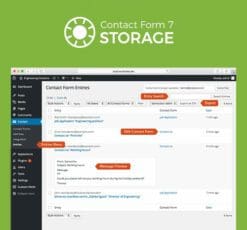 Storage for Contact Form CF7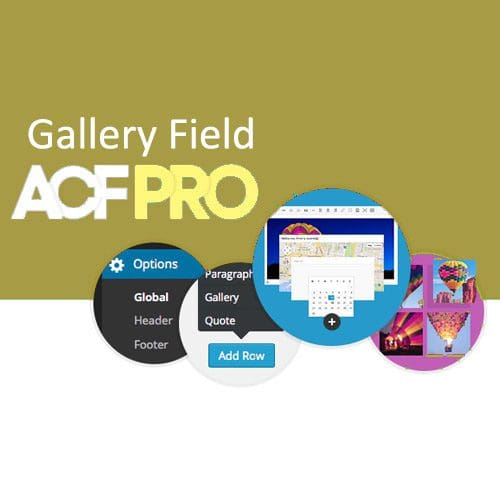
Advanced Custom Fields Gallery Field Addon
90.000 ₫
- Phiên bản: 1.1.1
- Ngày cập nhật: 05/09/2018
Mô tả
Overview
The gallery field provides a simple and intuitive interface for managing a collection of images.
Multiple images can be added, edited and sorted with ease!
Template usage
The gallery field will return an array of image data. Each image is itself an array containing information such as title, alt, description, url and more.
Basic list of images
This example will loop over the selected images and display a list of thumbnails which each link to the full size image
Installation
ACF PRO
The Gallery Field can be installed by purchasing a license for ACF PRO. On payment, you will receive a receipt from ACF and a user account allowing access to your downloads. Once ACF PRO is installed, enter your license key to enable plugin updates.
Plugin
The Gallery Field may also be installed by purchasing a license for this add-on. On payment, you will receive a receipt from ACF and a user account allowing access to your downloads. Once the add-on is installed (requires the free version of ACF to also be installed) you will not need to enter any license key information.
Đánh giá (0)
Hãy là người đầu tiên nhận xét “Advanced Custom Fields Gallery Field Addon”
Bạn phải đăng nhập để gửi đánh giá.
Lưu ý khi mua
Những lưu ý dành cho bạn khi quyết định mua sản phẩm, chúng tôi có 5 loại sản phẩm sau đây:
1. Sản phẩm riêng lẽ
- Là sản phẩm cụ thể và duy nhất (1 theme hoặc 1 plugin bất kỳ).
- Tải và cập nhật sản phẩm trọn đời.
- Link tải trực tiếp không phải chờ đợi
- Phù hợp khách hàng có nhu cầu cụ thể với sản phẩm ưa thích
2. Sản phẩm gói
- Các sản phẩm trong mục bundles
- Mua một lần được nhiều sản phẩm cùng lúc
- Các sản phẩm với chủ đề giống nhau được chúng tôi gom nhóm
- Giá rẻ hơn khi mua từng sản phẩm riêng lẻ
- Tải và cập nhật trọn đời toàn bộ sản phẩm trong gói
- Link tải trực tiếp không phải chờ đợi
3. Thành viên hàng tháng ☛ Xem tại đây
- Tải tất cả các Themes và Plugins có trên hệ thống, bạn không cần phải mua từng sản phẩm riêng lẽ.
- Tải trong vòng 1 tháng, nếu bạn muốn tải tiếp sẽ cần gia hạn.
- Chúng tôi không tự động gia hạn, bạn thích gia hạn thời điểm nào là quyền của bạn.
- Tải 50 sản phẩm/ 1 ngày
- Link tải trực tiếp không phải chờ đợi
- Được cập nhật sản phẩm miễn phí trong thời điểm bạn còn là thành viên.
- Để cập nhật trọn đời sản phẩm, bạn có thể mua gói trọn đời, hoặc mua riêng 1 sản phẩm bạn muốn.
4. Thành viên hàng năm ☛ Xem tại đây
Với gói thành viên hàng năm, bạn sẽ được quyền tải xuống tất cả sản phẩm của chúng tôi trong vòng 1 năm. Ngoài ra bạn còn nhận được ưu đãi tải không giới hạn hàng ngày, điều mà không có website nào bán theme có ưu đãi đặc biệt này. Ngoài ra khi hết thời hạn 1 năm, bạn có thể gia hạn lại với mức phí chỉ bằng một nửa phí ban đầu bạn đăng ký.
Với gói thành viên này nếu bạn muốn cập nhật lên thành viên trọn đời. Bạn vẫn được bảo lưu số thời gian mình đang sử dụng dịch vụ, ví dụ:
- Nếu bạn mới mua gói 1 năm, và bạn muốn cập nhật lên gói trọn đời, bạn chỉ cần bỏ ra mức phí = phí thành viên trọn đời – phí thành viên hàng năm. Nghĩa là bạn chỉ cần mua gói trọn đời với số tiền là 1.500.000đ
- Nếu bạn đã sử dụng gói thành viên 1 năm trong vòng 6 tháng, bạn sẽ chỉ bỏ ra số tiền 2.000.000đ khi nâng cấp lên gói thành viên trọn đời.
Những ưu đãi khác:
- Tải tất cả các Themes và Plugins có trên hệ thống, bạn không cần phải mua từng sản phẩm riêng lẽ.
- Tải và cập nhật sản phẩm trong vòng 1 năm.
- Sử dụng không giới hạn website.
- Không giới hạn lượt tải hàng ngày.
- Link tải trực tiếp không phải chờ đợi
- Hỗ trợ kỹ thuật từ ThemeVN.
- Phí gia hạn bằng 1 nửa phí đăng ký
- Được bảo lưu thời gian sử dụng khi cập nhật lên thành viên trọn đời
5. Thành viên trọn đời ☛ Xem tại đây
Đây là gói cao cấp nhất trên hệ thống của chúng tôi. Với mức giá vô cùng rẻ, bạn sẽ làm chủ hơn 2600 sản phẩm có trên hệ thống của chúng tôi. Ngoài ra, khi chúng tôi đăng tải sản phẩm mới, bạn cũng sẽ được quyền tải xuống trọn đời sản phẩm đó. Cụ thể những ưu đãi đối với thành viên trọn đời như sau:
- Tải tất cả các Themes và Plugins có trên hệ thống, bạn không cần phải mua từng sản phẩm riêng lẽ.
- Tải và cập nhật sản phẩm trọn đời.
- Sử dụng không giới hạn website.
- Không giới hạn lượt tải hàng ngày.
- Link tải trực tiếp không phải chờ đợi
- Hỗ trợ kỹ thuật từ ThemeVN.
Dù bạn mua sản phẩm nào chúng tôi cũng sẽ hỗ trợ bạn hết mình. Nếu có khó khăn thắc mắc hãy Zalo, Fb cho nhanh nha bạn
Sản phẩm tương tự
90.000 ₫
Formidable Forms
90.000 ₫
Formidable Forms
90.000 ₫
Formidable Forms
90.000 ₫
Formidable Forms
90.000 ₫

Formidable Forms
90.000 ₫

CodeCanyon
90.000 ₫

CodeCanyon
90.000 ₫

Đánh giá
Chưa có đánh giá nào.